New in Bookadoro: Tracker Mode, a Bookshelf Library, Reviews and More
Bookadoro's November updates add Tracker mode for reading without a timer, a bookshelf view of your library, Goodreads sync with a review step, full book reviews with covered spoilers, half and quarter stars, book series, a Currently reading widget, book club co-hosts and Dusk, a free dark theme.
November has been a busy month. Since our last update on book club notes, polls and events, seven app updates have gone out, and every feature below is an item on our public roadmap. Here are the highlights, each with a link to its item on the roadmap. The full list, release by release, is on the notifications page.
Read without the timer: Tracker mode
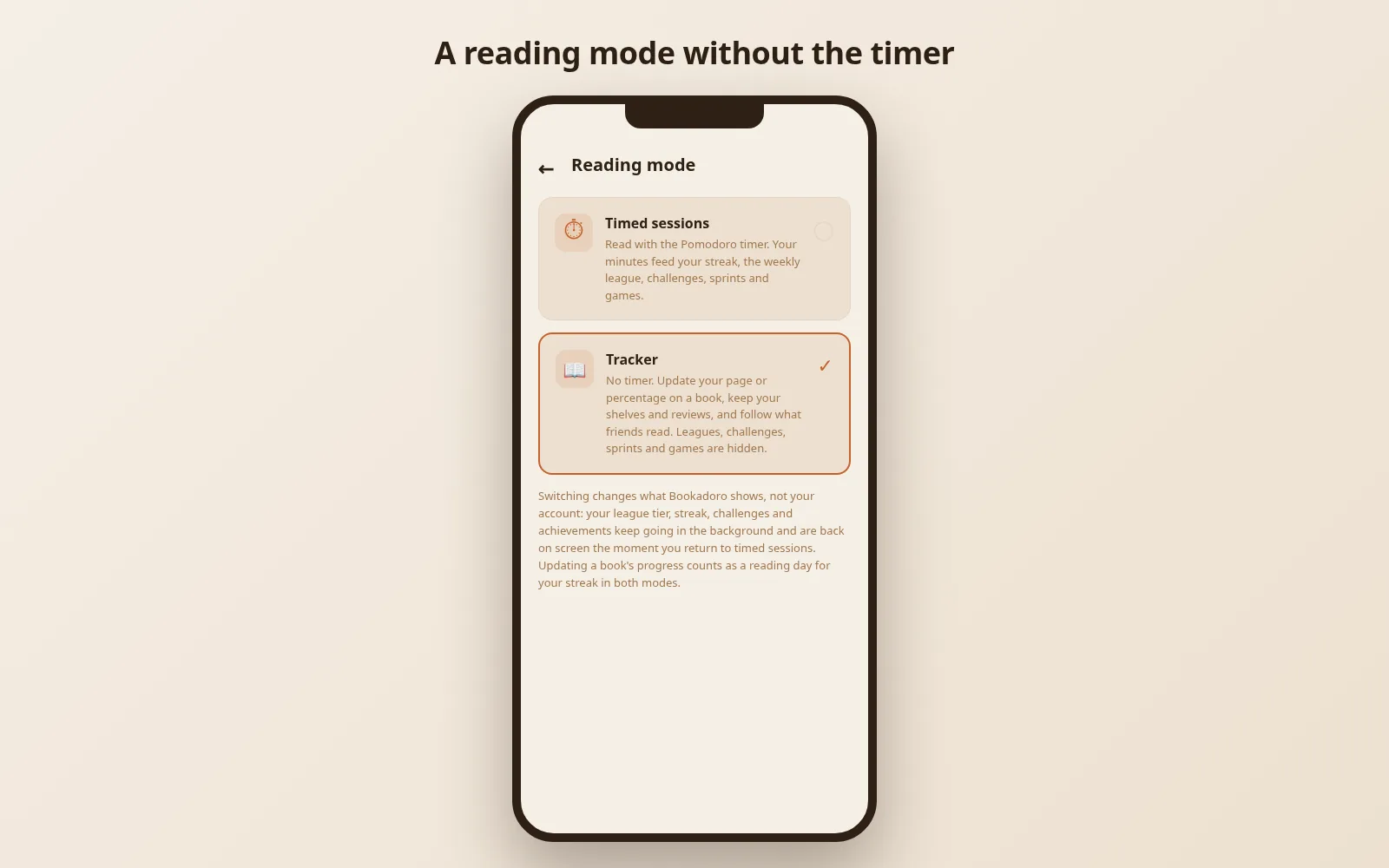
Bookadoro started as a reading timer, but not everyone wants to read against a clock. You can now switch the timer off. Go to Settings > Reading mode and pick Tracker: no Start session button and no timer screen. You update a book's page or percentage, and that update shows your progress and keeps your streak going.
- Home leads with what you're reading, each with a quick Update progress action, followed by what your friends are reading, finishing and reviewing.
- Stats count books and pages instead of minutes: books finished, pages read, pages left and a pages-per-month chart.
- Nothing about your account changes. Your league tier, streak and challenges keep running in the background, so switching back brings them straight back.
On the roadmap: see this item
Your library as a bookshelf
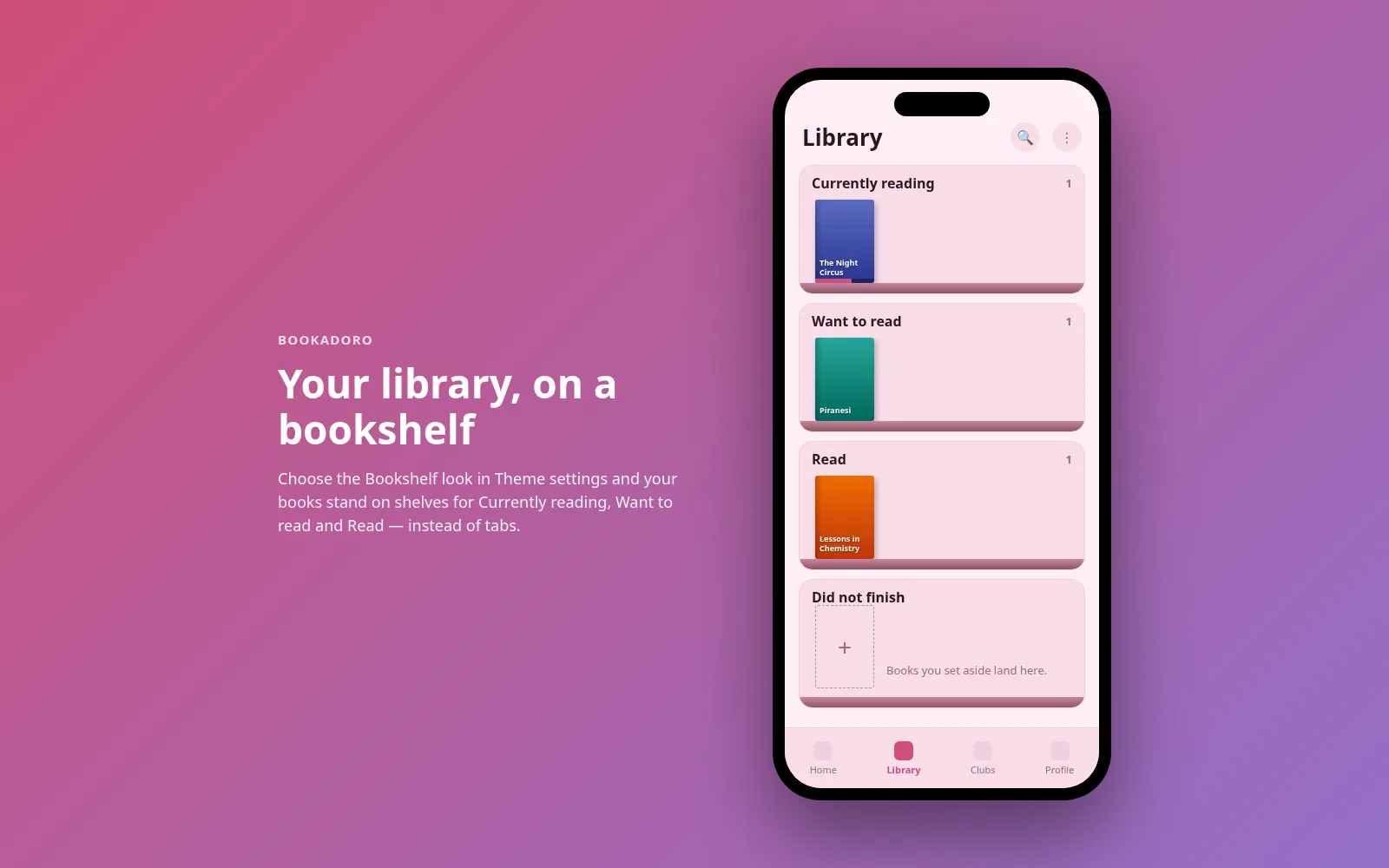
Your library can now look like a real bookshelf. Covers stand on wooden shelves for Currently reading, Want to read and Read, with Did not finish, Series and your own lists appearing once they have books in them. Covers on the Currently reading shelf show your progress along the bottom, and an empty shelf offers a spot to add a book instead of sitting bare.
Switch to it in Settings > Choose Theme, under Library look. It's free, and the list view is still there if you prefer it.
On the roadmap: see this item
Goodreads sync is back
Goodreads stopped sending updates a while ago, which quietly broke syncing for everyone who had connected an account. It works again, now reading your public Goodreads shelves directly. Books you add or finish on Goodreads show up in Bookadoro, usually within a day.
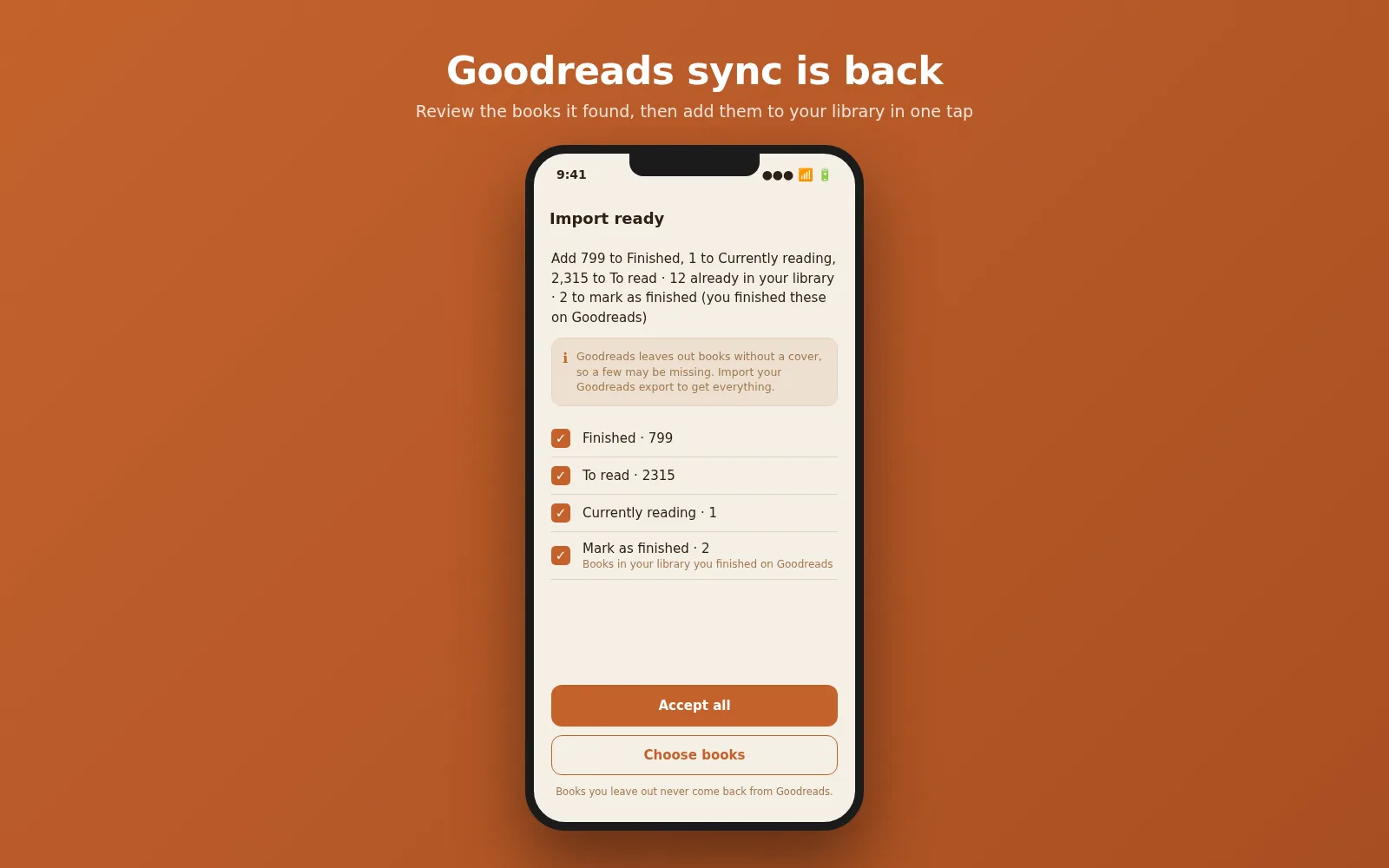
Connecting for the first time now ends on an Import ready screen: accept everything in one tap, or choose exactly which books come in. New finds from the daily sync get the same review step, so nothing lands in your library without you seeing it first.
On the roadmap: see this item
The same Goodreads link also powers our free tier list and book graphic builders on the website.
Full book reviews and quarter-star ratings
Write a review, with the spoilers covered
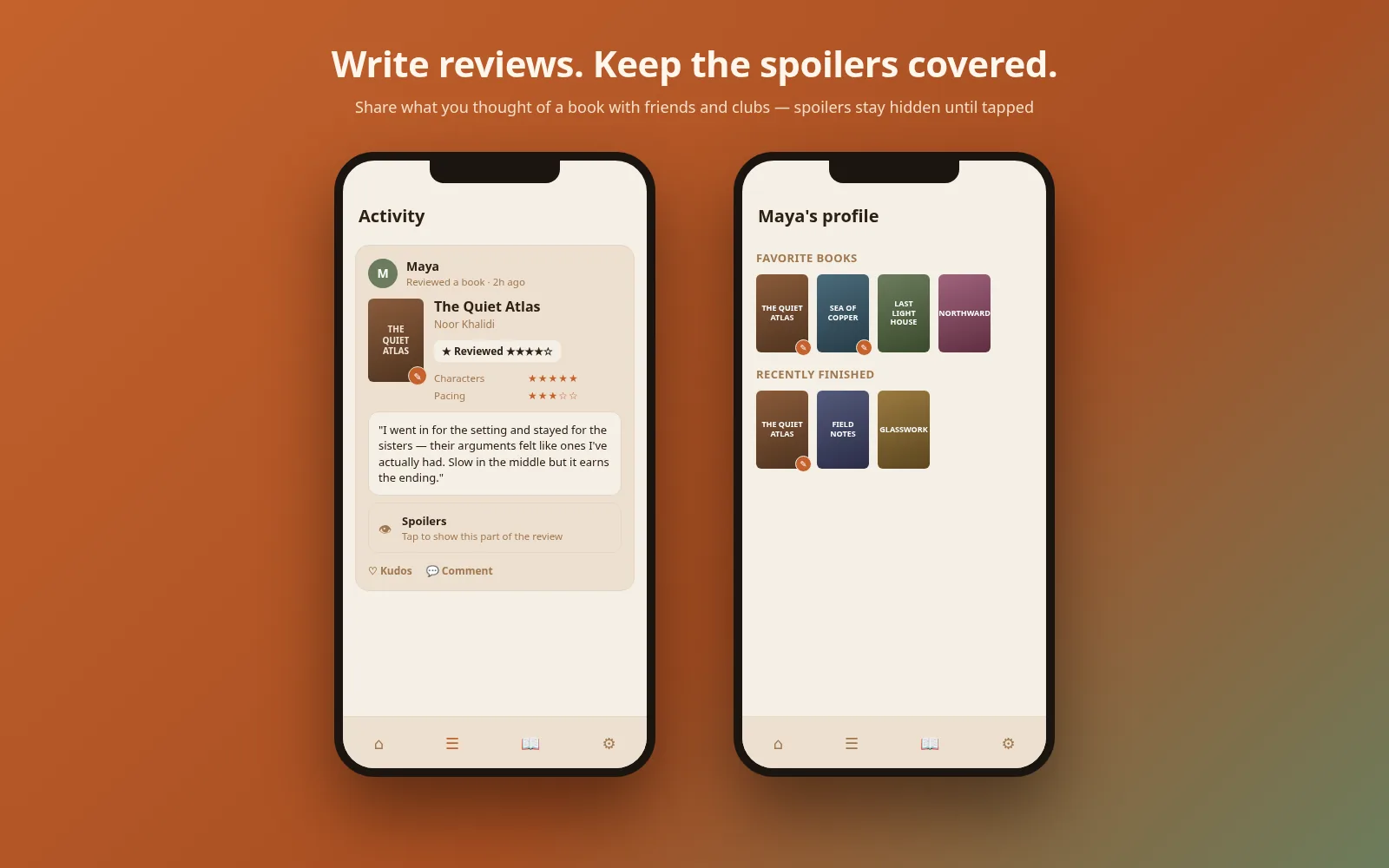
When you rate a finished book you can now write a full review, not just stars and aspect scores. The review has its own Spoilers part, so you can talk about the ending without ruining it: friends see a "tap to show this part of the review" cover until they choose to open it.
Reviews show on the Friends feed, in your book clubs and on your profile, where reviewed books get a small badge on the cover. A "Share written reviews with friends" switch in your privacy settings decides whether they're shared at all.
On the roadmap: see this item
Half and quarter stars
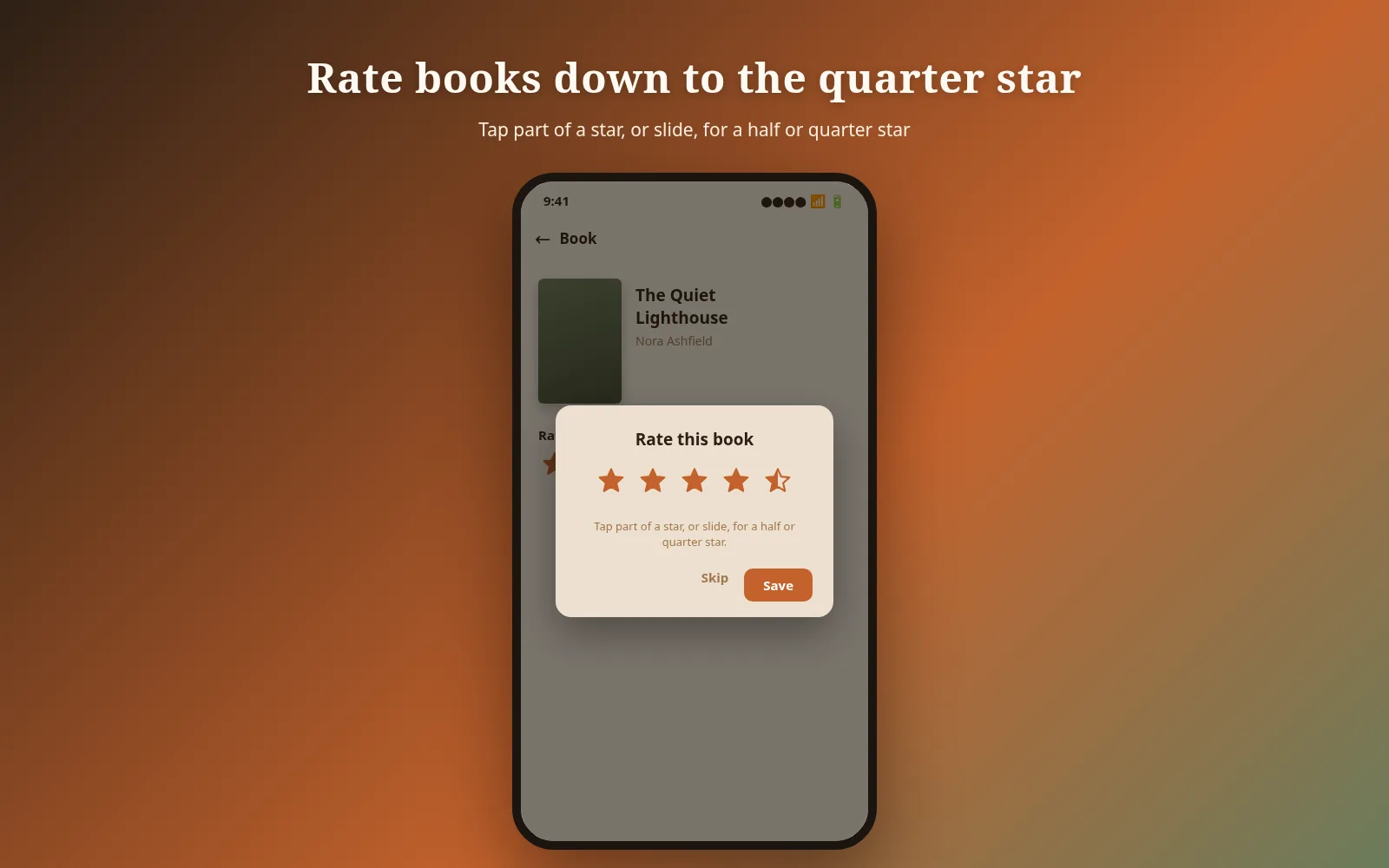
Some books are a 4.5. Tap part of a star, or slide along the row, to rate in half or quarter steps. The exact rating shows on the book page, your friends' book pages and your share images, and half or quarter stars you imported from StoryGraph or Fable are kept instead of rounded off.
On the roadmap: see this item
Series and editions, sorted
Book series
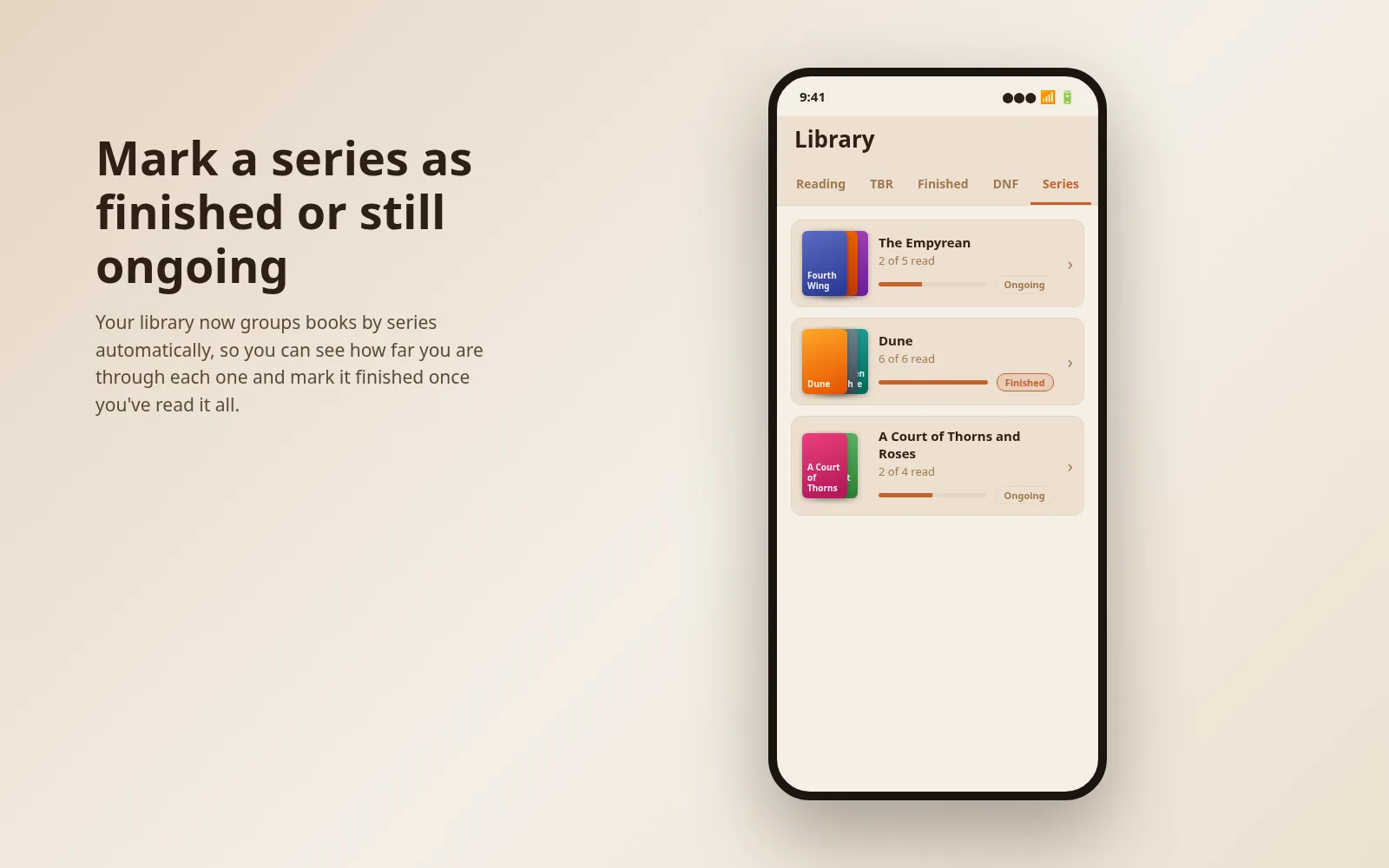
Your library now groups books into series by itself, using the series name and number in the title, like "Iron Flame (The Empyrean, #2)". A new Series tab shows each series with how many books you've read, and you mark it Ongoing or Finished. When you type a series name yourself, Bookadoro suggests series from your library and names other readers use.
On the roadmap: see this item
Editions of a book belong together
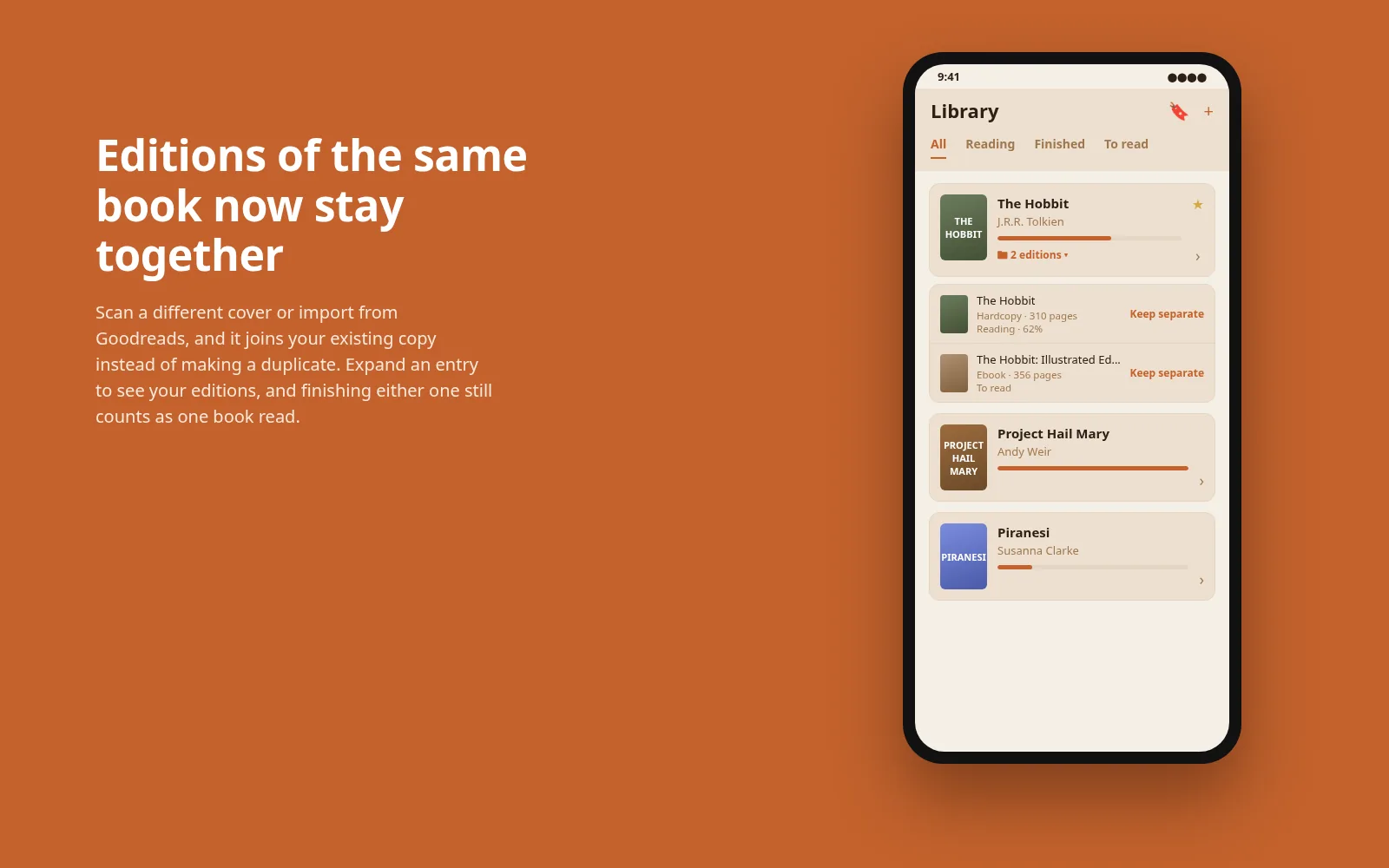
Own a book in hardcover and as an ebook? Editions of the same book now sit under one entry in your library, each with its own cover, pages, progress and rating. Adding a book you already have asks first, and finishing two editions counts as one book toward your yearly goal. In book clubs, members reading different editions of the club's book now share one Notes timeline.
On the roadmap: see these items
Your week in leagues, as a recap
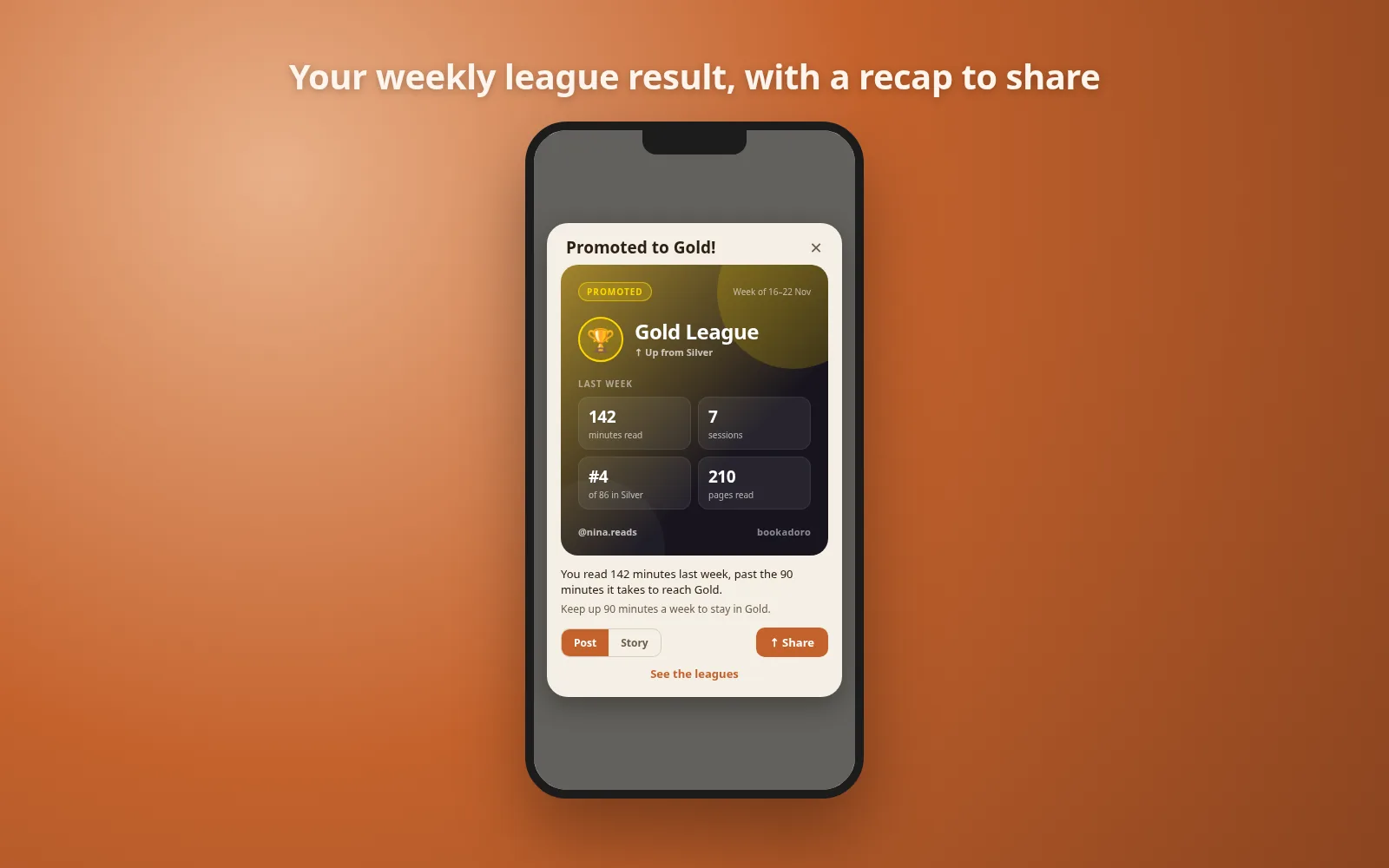
Moved up or down a league? The next time you open the app, you get an explanation: how much you read last week, what the new league asks for and what it takes to stay there. Then swipe through cards about your week, with the books you read, your minutes and pages and your longest session, and confetti when you're promoted. Share any card as a post or a story in one tap.
On the roadmap: see this item
Home screen widgets and a friendlier timer
Every book you're reading, on your home screen
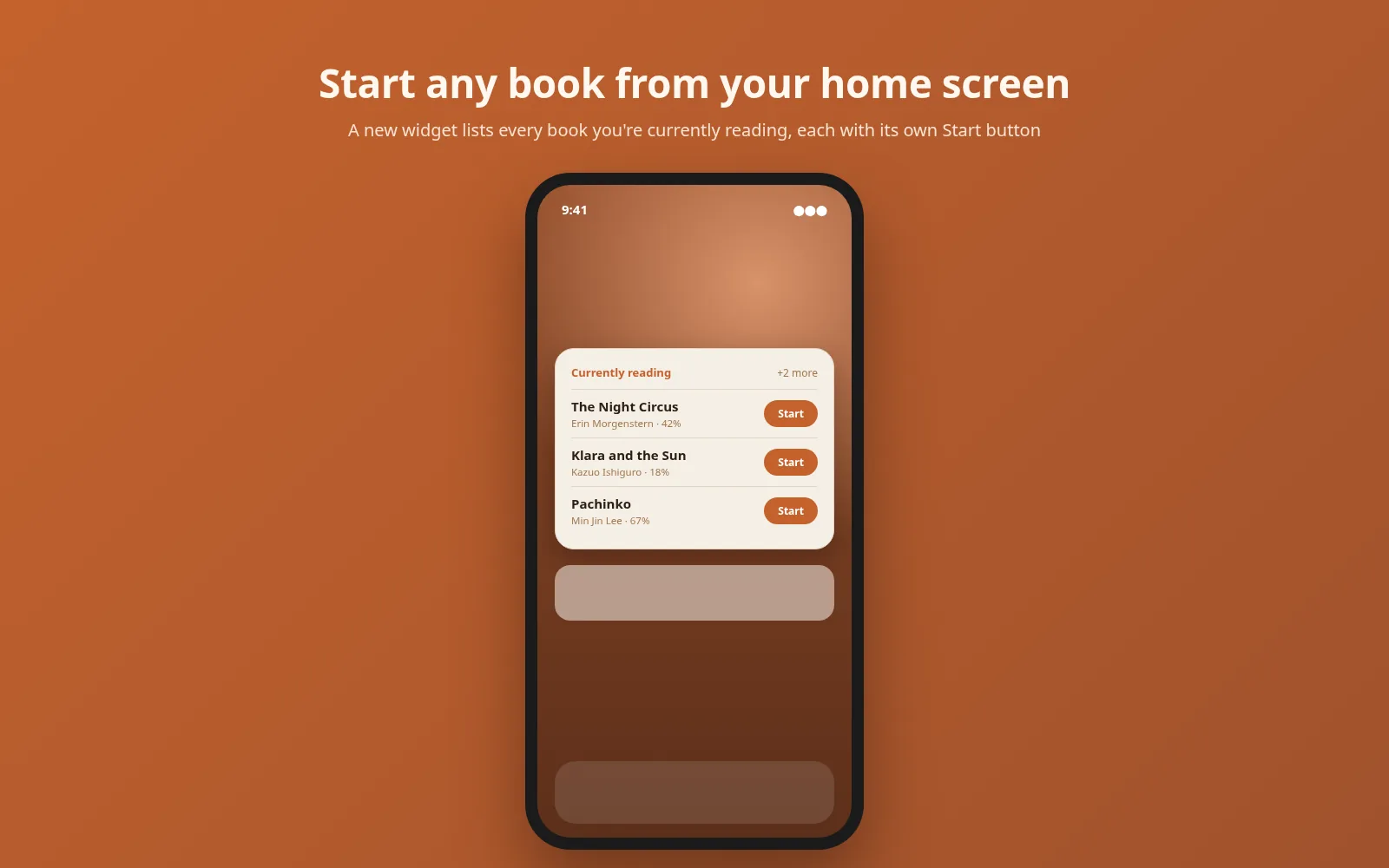
If you read more than one book at a time, the new Currently reading widget lists each one with its progress and its own Start button. On iPhone it shows 3 or 6 books depending on size; on Android it's resizable. You can also start a free reading session straight from the widget and pick the book afterwards, on the Session Complete screen.
On the roadmap: see these items
Pause a session and look around
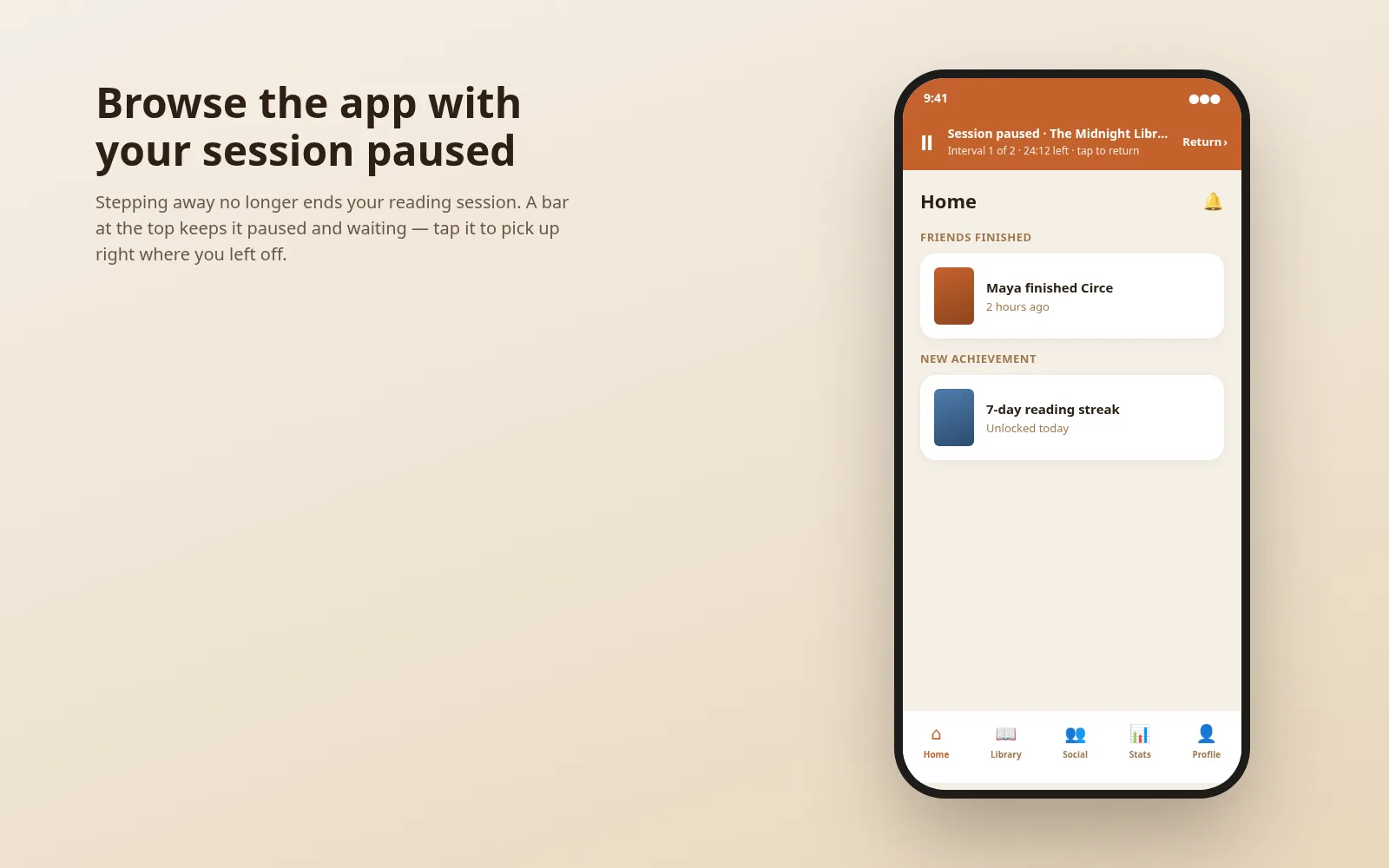
Leaving the timer screen used to end your session. Now it keeps the session paused, with a bar at the top of the app showing the book and the time left. Check a friend's update or an achievement, then tap the bar to jump back in.
On the roadmap: see this item
More control over your sessions
- Delete a reading session from a book's history, or edit one you logged by hand.
- Change the date you finished a book, so it counts toward the right year.
- See how long until you finish a book, based on your pace, and your total reading time for each book.
- Write your own reading reminder messages.
- Plus members can record or pick their own alarm sound for the end of a session.
On the roadmap: see these items
More tools for book club hosts
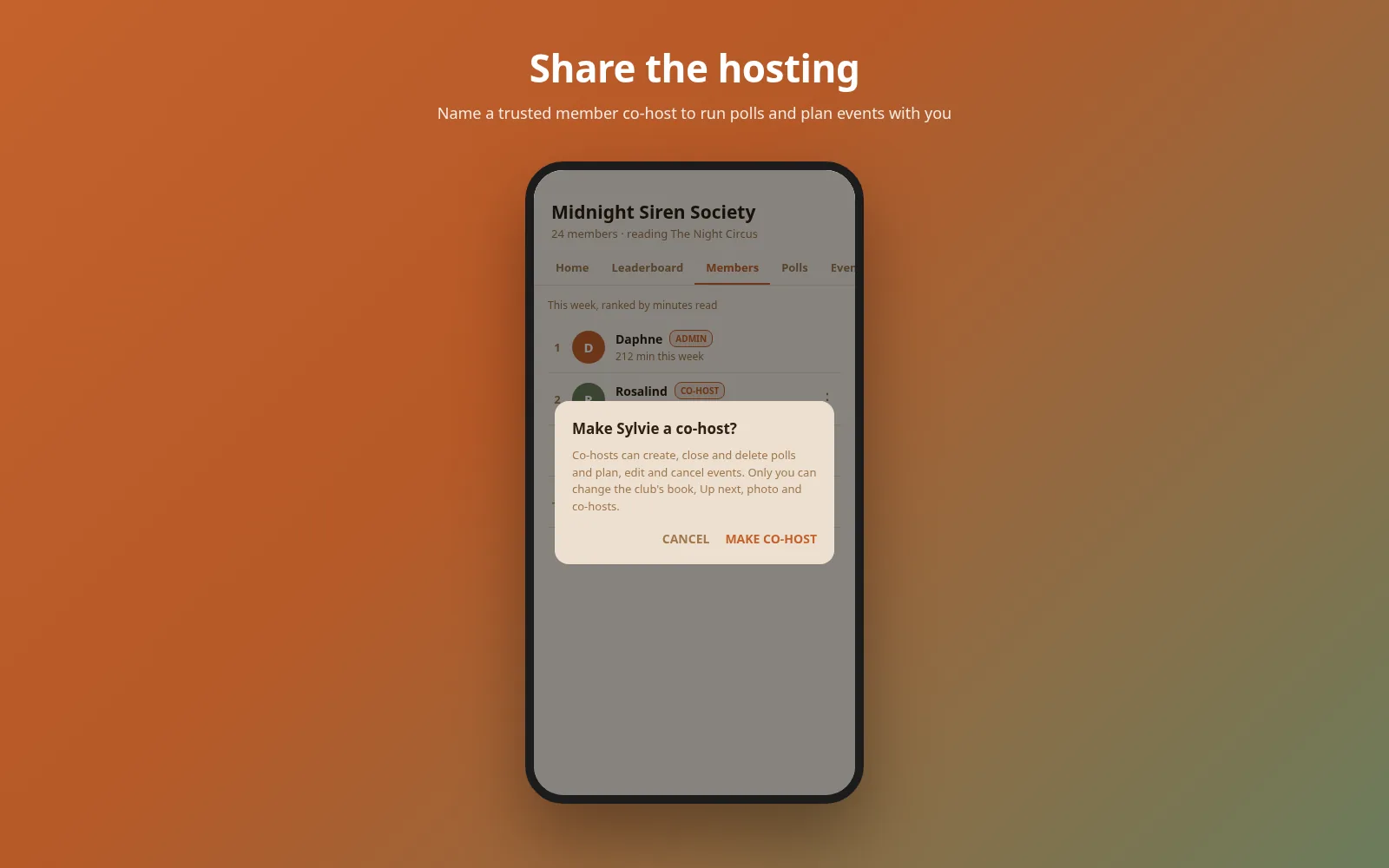
Running a club is easier to share now. A host can name co-hosts from the Members tab and choose what they're allowed to do: polls, events, the club's books and removing members. Hosts can also invite friends straight into the club, and members get a notification with a one-tap Join. Tap any member to open their profile and add them as a friend.
On the roadmap: see these items
New to book clubs in Bookadoro? Our book club app page covers the basics.
Dusk, a free dark theme, and six more
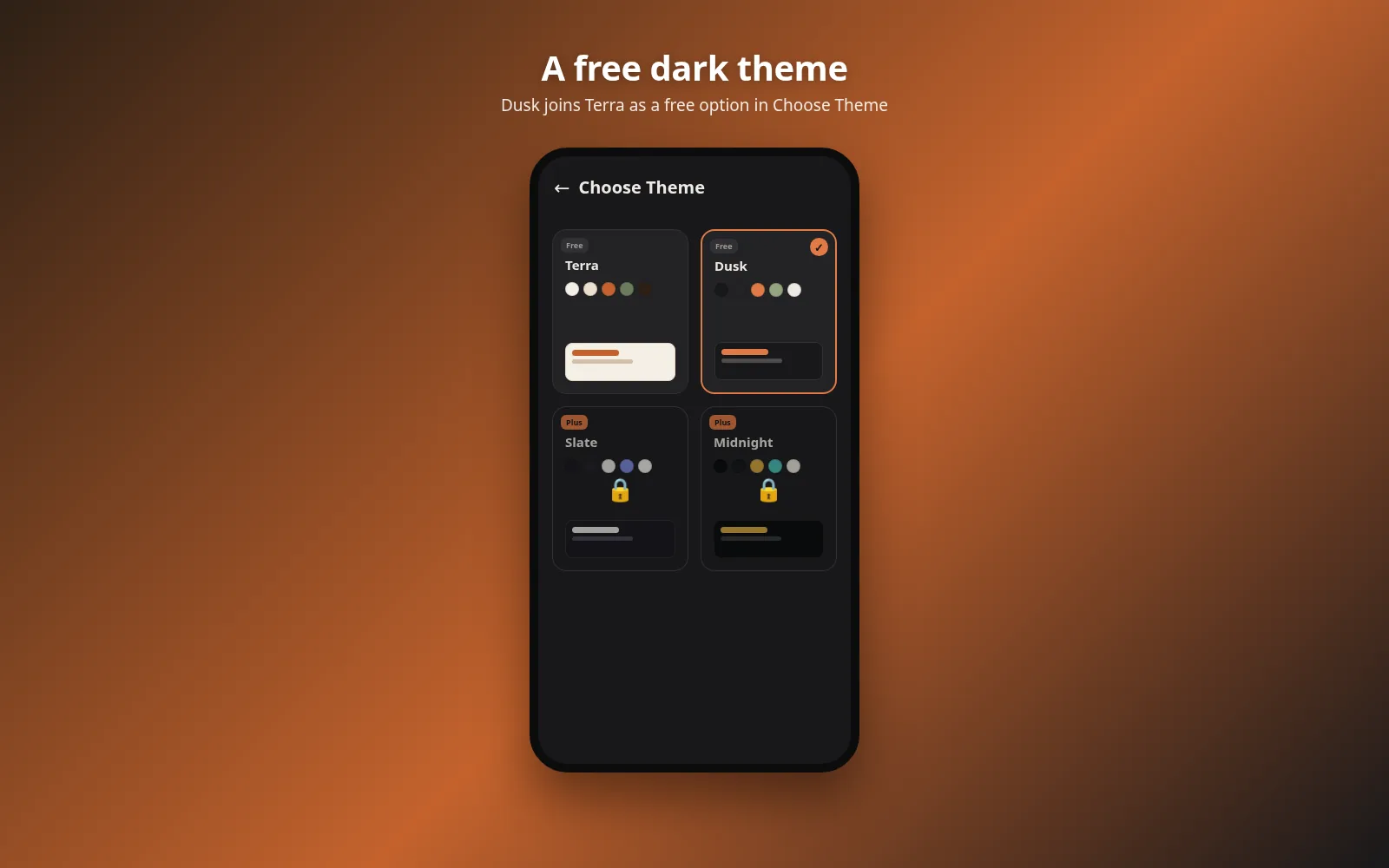
Reading in bed? Dusk is a free dark theme, the night-time counterpart to the default Terra, in the same warm terracotta and sage. You no longer need Plus to read in the dark. We also added six new themes (Sage, Ocean, Lavender, Forest, Mocha and Berry) and a hand-drawn loading screen that greets you with your book and your streak.
On the roadmap: see these items
Also new this month
- A fairer streak: a session that runs past midnight counts for the day you started it, and daily challenges reset at your own midnight.
- A short written review next to your detailed ratings.
- Mention friends and club members in comments with @.
- Set your own yearly reading goal instead of 12 books.
- 25 genres, including Horror, Thriller, Romantasy and Historical Fiction.
- Sort your library by date added, date finished, title or author.
- Shuffle your to-be-read list when you can't pick the next book.
- A profile page on bookadoro.com you can share, showing only what you choose.
- Kudos and comments from friends on your past sessions, on the book page.
On the roadmap: see these items
Have an idea for what we should build next? Add it to the roadmap or see what's planned and in progress.
FAQ
Are these features free?
Almost all of them. Tracker mode, the bookshelf look, Goodreads sync, reviews, series, widgets, co-hosts and the Dusk theme are free for everyone. A custom alarm sound is part of Bookadoro Plus.
How do I turn off the timer in Bookadoro?
Open Settings > Reading mode and choose Tracker. You then update your page or percentage instead of timing sessions, and that keeps your streak. Switch back to Timed sessions at any time.
How do I get the update?
Update Bookadoro from the App Store or Google Play. Everything in this post is in version 1.4.4 and later.
Try the new Bookadoro
Read with the timer or without it, put your library on a shelf and share your reviews with friends. Free on iPhone and Android.
Download Free